CloudJoi’s text editor helps you write, style, and structure your event description without needing to know code. It’s powered by Editor.JS, a block-based editor that works like Lego — stack what you need, skip what you don’t.
What is WYSIWYG?
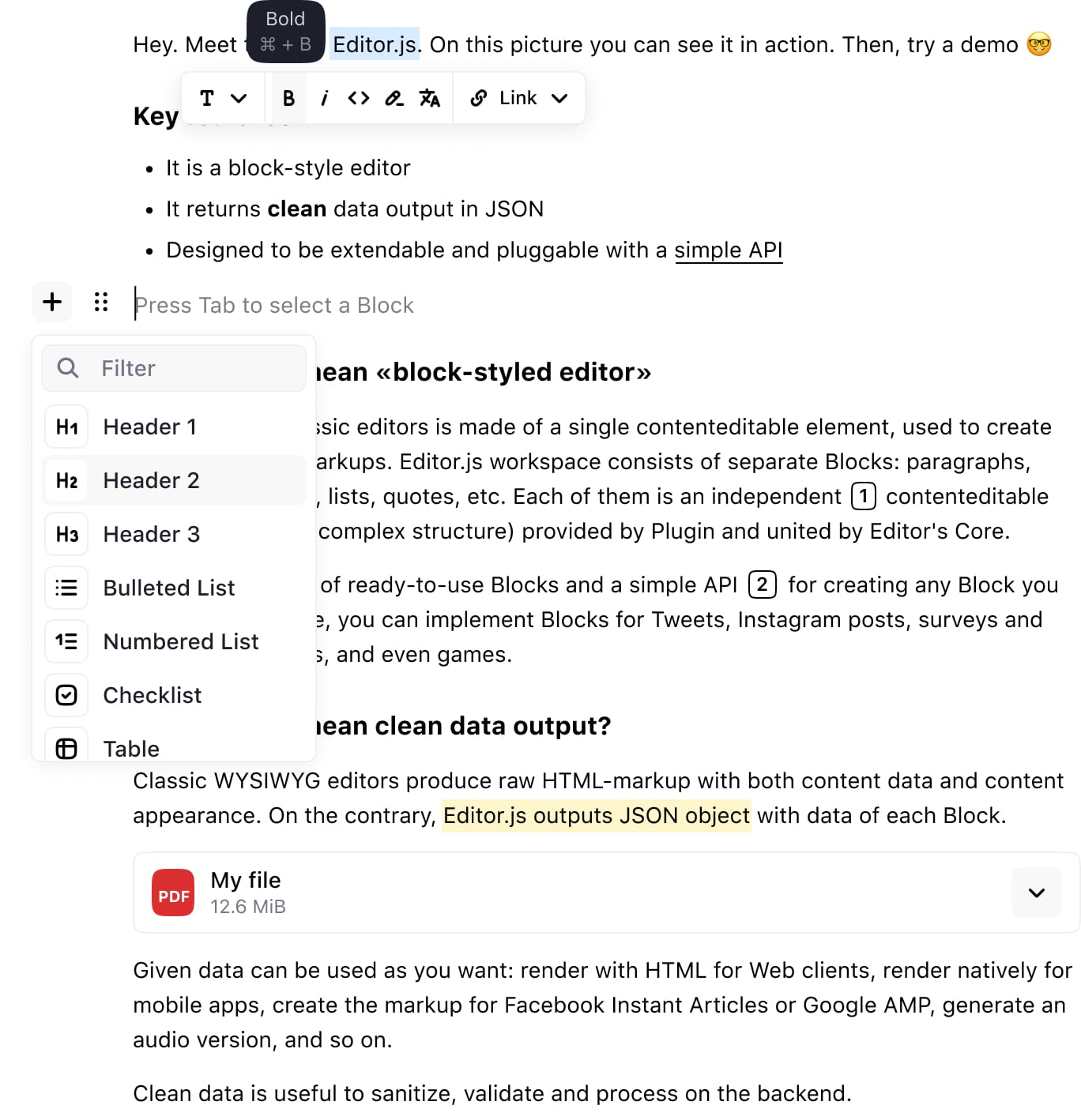
WYSIWYG stands for “What You See Is What You Get.”
It means what you type and format in the editor is exactly how your event page will display to ticket buyers.
📦 What You Can Add
Each piece of content is treated like a “block”. Tap the ➕ icon to insert:
✨ Paragraph
-
Default block
-
For writing your descriptions, terms, or any normal text
🔠 Heading
-
Use for section titles (e.g. About the Show, Terms & Conditions, Credits)
-
You can choose different header levels (H1, H2, H3)
📋 List (Bullet or Numbered)
- For schedules, rules, benefits, etc.
🔗 Link
-
Paste any full URL to create clickable links
-
e.g. link to your artist Instagram or press reviews
🖼️ Image
-
Upload JPEG or PNG files to appear inside the content body
-
Max file size: 5MB
-
Ideal for cast photos, venue layout, past show pics
📺 Embed
-
Paste a YouTube/Vimeo video link to show trailer or teaser
-
Auto-embeds beautifully
🎨 Formatting Tools
When you highlight any text, a small formatting menu appears:
-
Bold — for key info like names, times, warnings
-
Italic — for show titles or quotes
-
⛓️ Link — to create external hyperlinks
-
“..." — more options depending on block type
🔍 Pro Tips
✅ Keep it clean. Break long text into shorter blocks.
✅ Preview often. What you see in editor is what patrons see.
✅ Mobile-first. Most users view events on phones — space things out.
✅ Avoid spammy formatting. No all caps, rainbow colors, or flashing text.
✅ Emojis OK, in moderation 😎🎭✨
🧹 Reset or Remove
To delete a block, click the three-dot menu ••• next to it → choose “Delete”.
Want to rearrange? Just drag and drop any block up or down.