Before you scan or check in a guest, it’s important to make sure the ticket is valid — for the correct event, time, and venue.
This helps prevent entry issues and ensures a smooth experience at the gate.
✅ What to check before scanning:
-
Event Name
Make sure the ticket matches your current event -
Date & Time
Guests must only be checked in on the valid date and showtime -
Venue
Especially important if your organiser runs multiple shows or locations -
Ticket Format
-
PDF (printable or digital)
-
Mobile browser screenshot
-
Ensure the QR code is not damaged or cropped
-
📱 Example Ticket Types
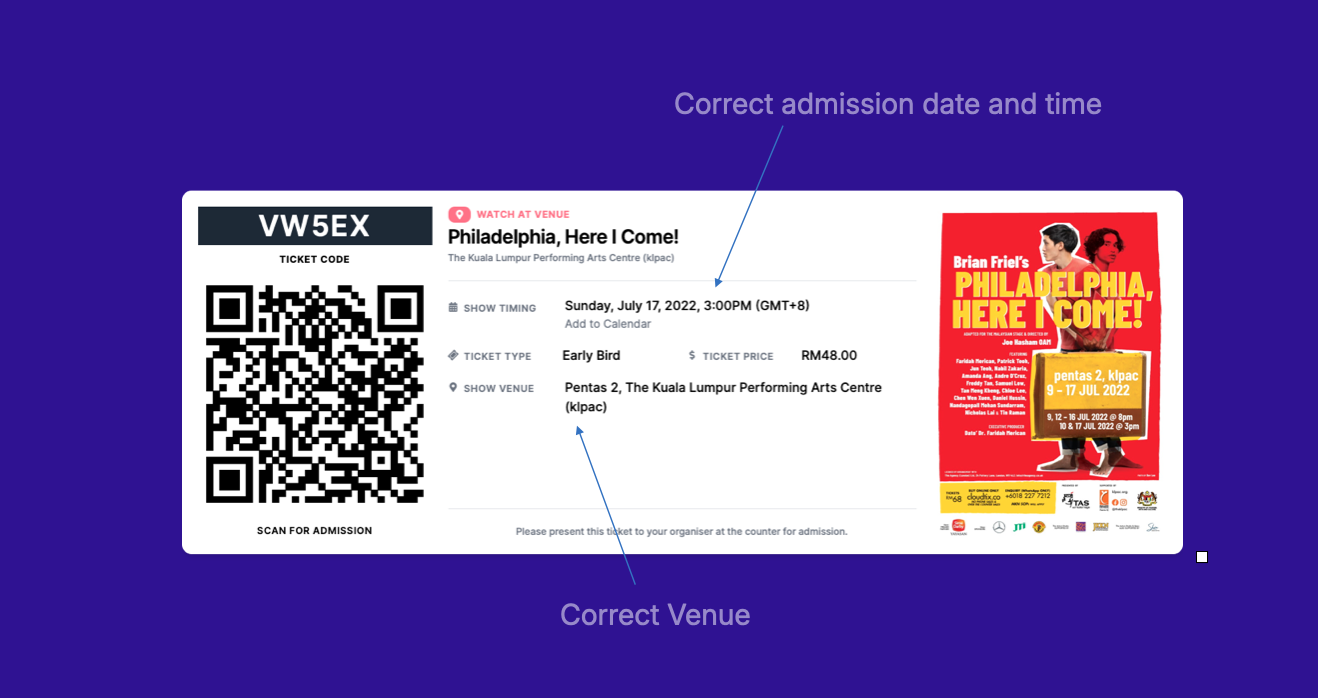 PDF Tickets: Usually shown in horizontal format on screen or printed
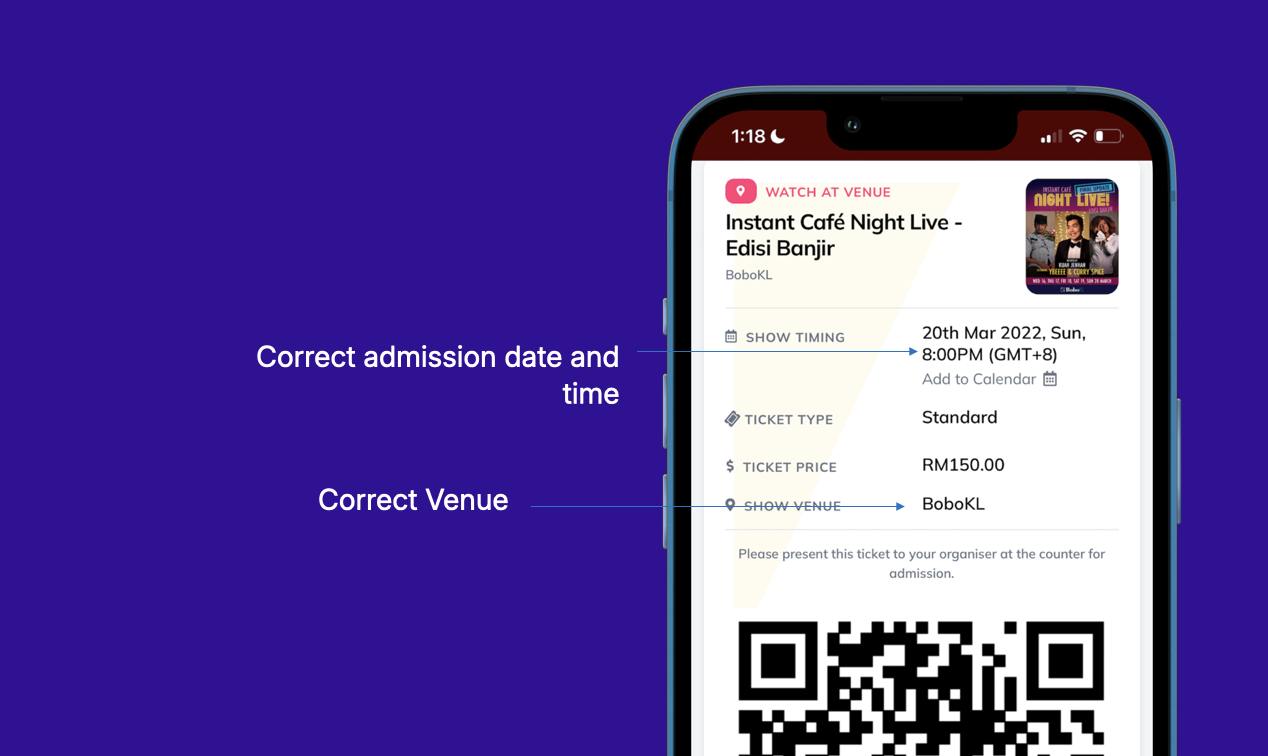 Mobile Web Tickets: Accessed directly via email or browser — same QR code, different layout
🛑 Invalid ticket examples:
-
Wrong date or venue
-
Screenshot from a different event
-
QR code already scanned (may indicate duplicate or resale)
💡 Pro Tips for Ushers
-
Ask to see the ticket details before scanning
-
If unsure, use the Search by Name feature
-
For big groups, check how many tickets are under the order