Before CloudJoi can begin the payout process, you’ll need to review and confirm your settlement in the dashboard. This only takes a minute — but it's important to do it on time to avoid delays.
📌 Why Confirmation Matters
We need your approval to:
-
Verify the amount matches your expectation
-
Confirm which bank account to send the funds to
-
Lock the payout for processing
🪜 Steps to Confirm Your Settlement
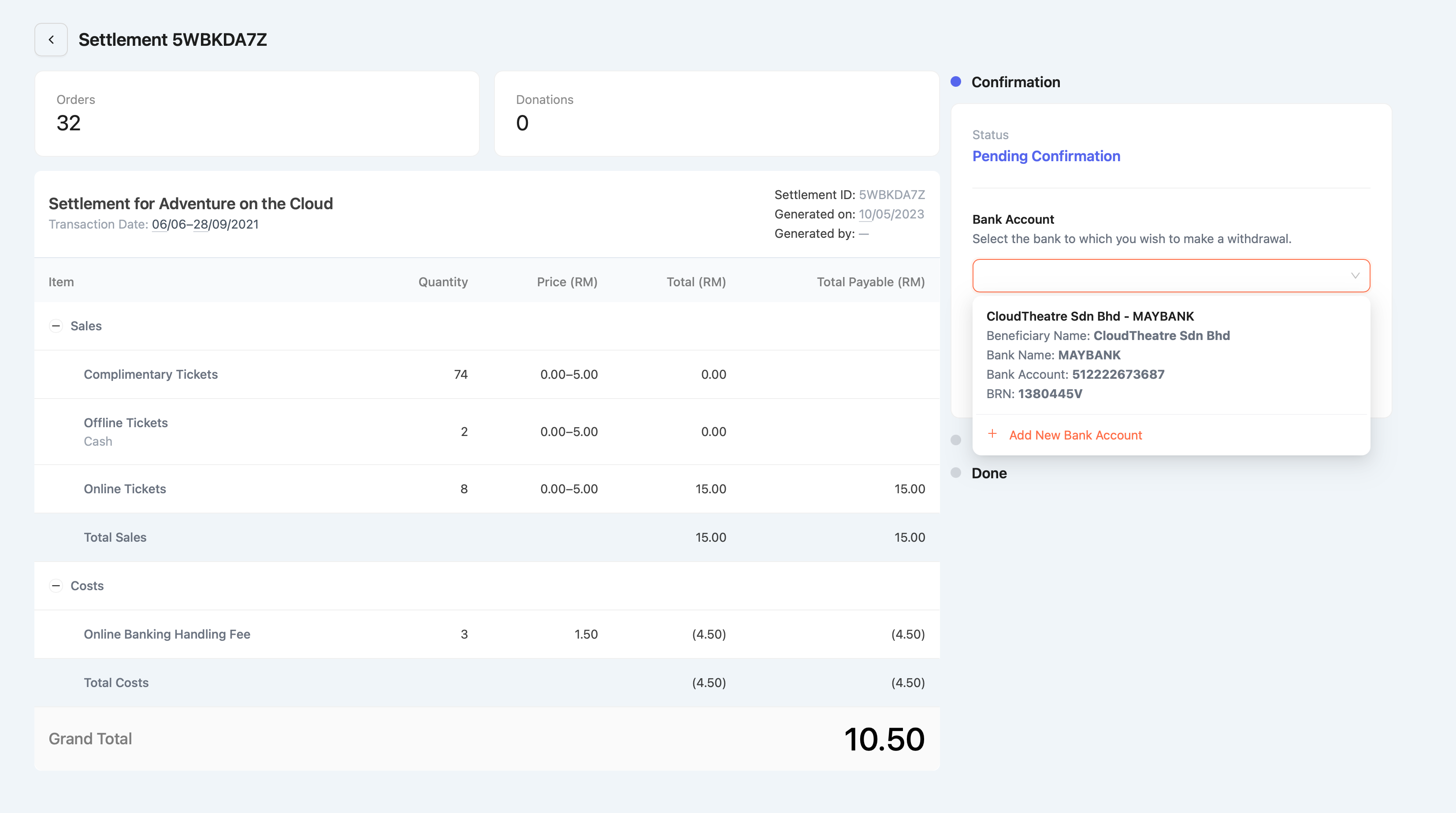
-
Go to [Your Event] > Finance > Settlements
-
Look for the row with status Pending Confirmation
-
Click into the settlement
-
Select your preferred bank account from the dropdown
-
Click Confirm Settlement
That’s it! Once confirmed, our team will begin processing.
⏰ Confirmation Deadline
To ensure your payout is made on the coming Friday:
-
Confirm by Wednesday, 6:00PM (same week)
-
Confirm after Wednesday? Your payout will roll to next Friday
-
If Friday is a public holiday, payout is made the next working day
🏦 Can I change my bank account?
Yes — for now.
However, starting July 2025, due to upcoming e-invoicing rules, this flexibility may be restricted.
Please ensure your selected bank is:
-
Registered under your organiser profile (personal or business)
-
Verified and active
🕒 What if I don’t confirm for a long time?
If a settlement remains unconfirmed for over 3 months, CloudJoi will automatically proceed with reimbursement to your preselected bank account on file.