Whether you need to file reports, reconcile your payouts, or keep records for accounting — everything you need is downloadable directly from the Finance > Settlements section.
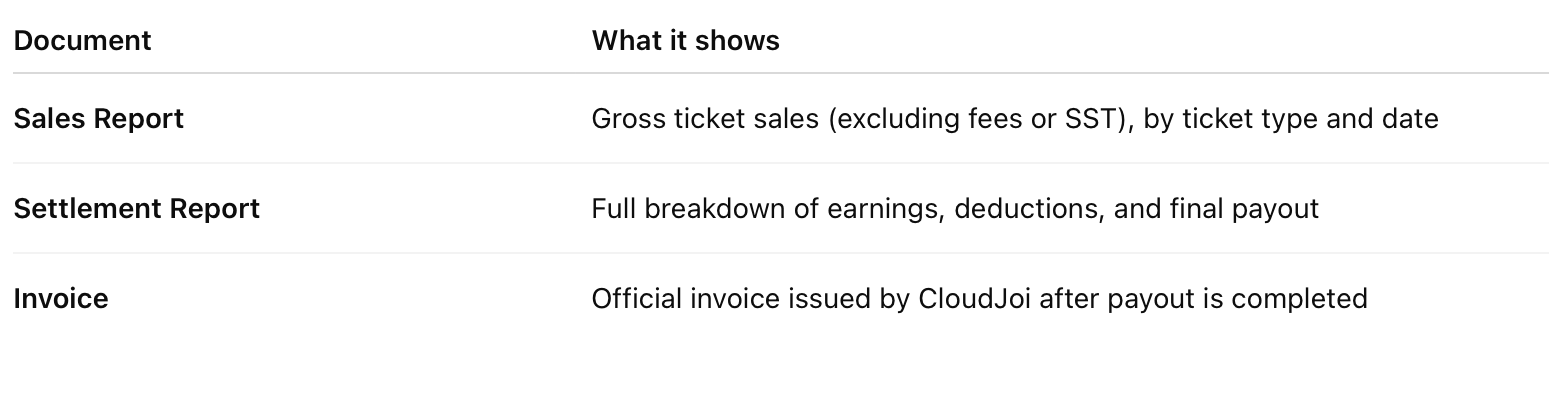
📂 Types of Reports Available
🪜 How to Download
-
Go to Finance > Settlements
-
Click into the event’s settlement row
-
Use the Download or Export button (varies by view)
-
Choose the file format (PDF or CSV)
📎 Notes:
-
Invoices are only available after payout is completed
-
You can return to this section anytime for past event documents
-
Organisers typically share these with finance or accounting teams
💡 Tip: Keep your files backed up after download, especially invoices — they may be needed for SST submissions or audit purposes.