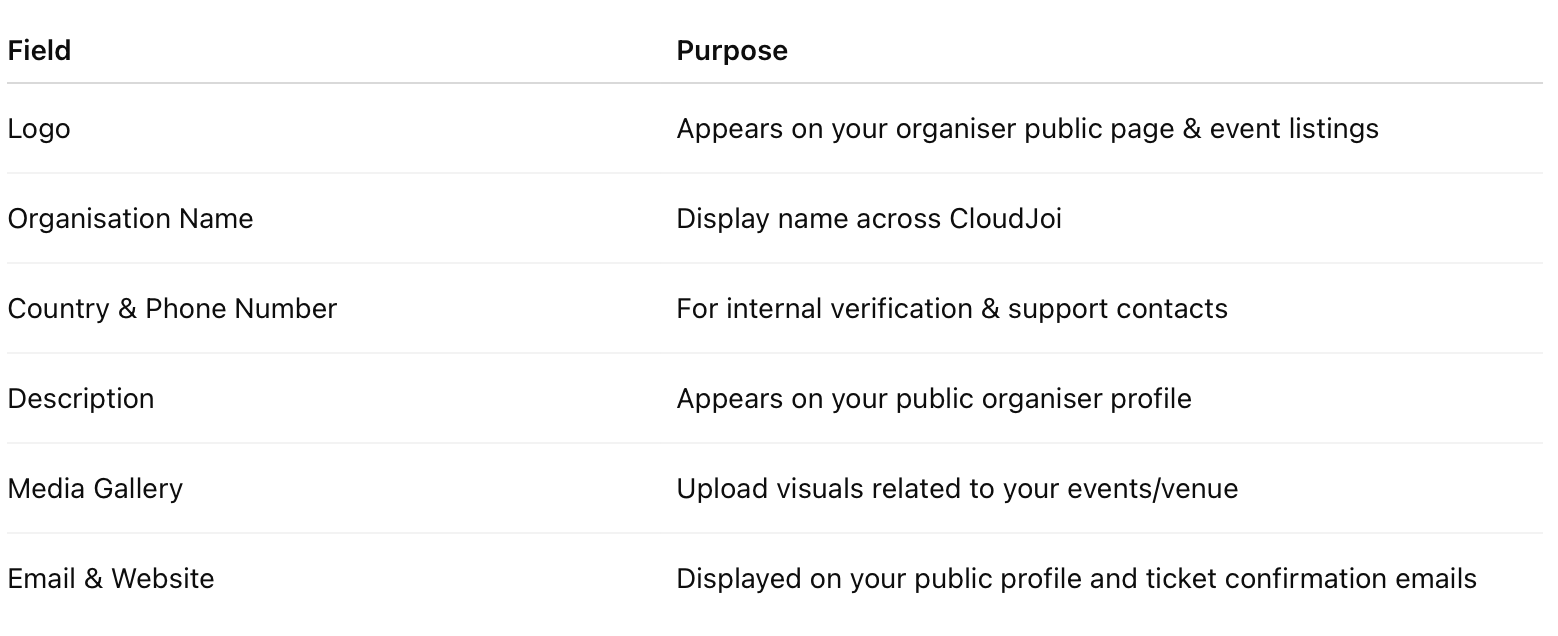
Every event on CloudJoi must belong to an organisation. This could be your company, collective, festival, or even a solo artist brand. Once created, your organisation profile becomes your public-facing identity across all events.
🪜 How to Create a New Organisation
-
Click your organisation dropdown (top left corner)
-
Select Create New Organisation
-
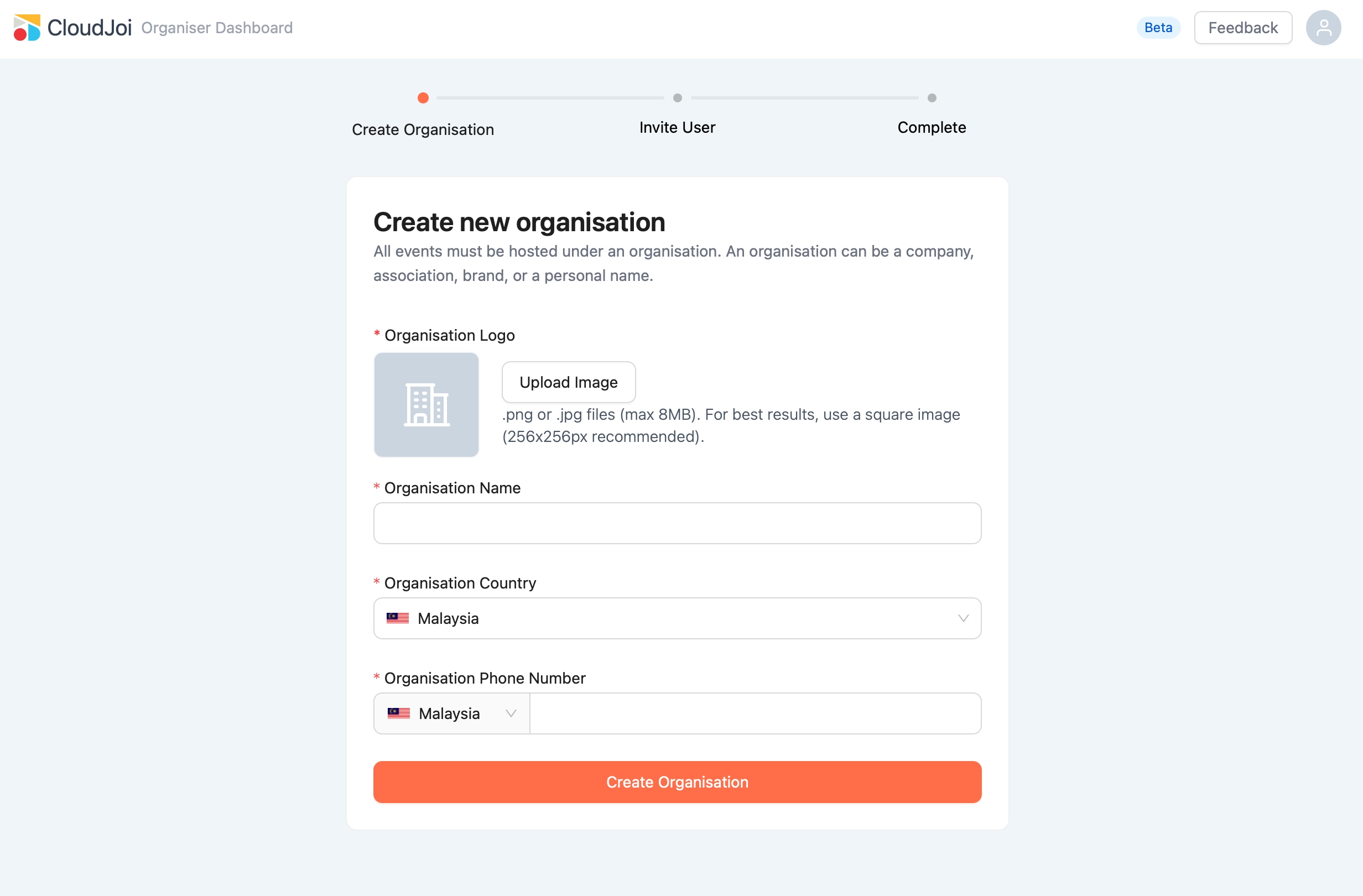
Fill in the required fields:
-
Organisation Name
-
Country
-
Phone Number
-
Organisation Logo (recommended size: 256x256px, JPG/PNG, max 8MB)
-
-
Click Create Organisation
You’ll then be taken through a short setup to invite your team and complete your profile.
👥 One CloudJoi ID, Multiple Organisations
Your user account (email login) can be linked to multiple organisations. You can:
-
Create new organisations
-
Join existing ones (via email invite)
-
Switch between organisations using the dropdown
💡 Each organisation has its own events, settings, and access controls.
🧩 What’s Included in the Organisation Profile
Once created, you can manage your organisation under Dashboard > Organisation