Need to change your phone number? Add a better logo? Update your public-facing bio? CloudJoi makes it easy to manage your organisation’s info in one place.
🛠 Where to Edit Your Organisation
Go to: Dashboard > Organisation
From here, you can edit:
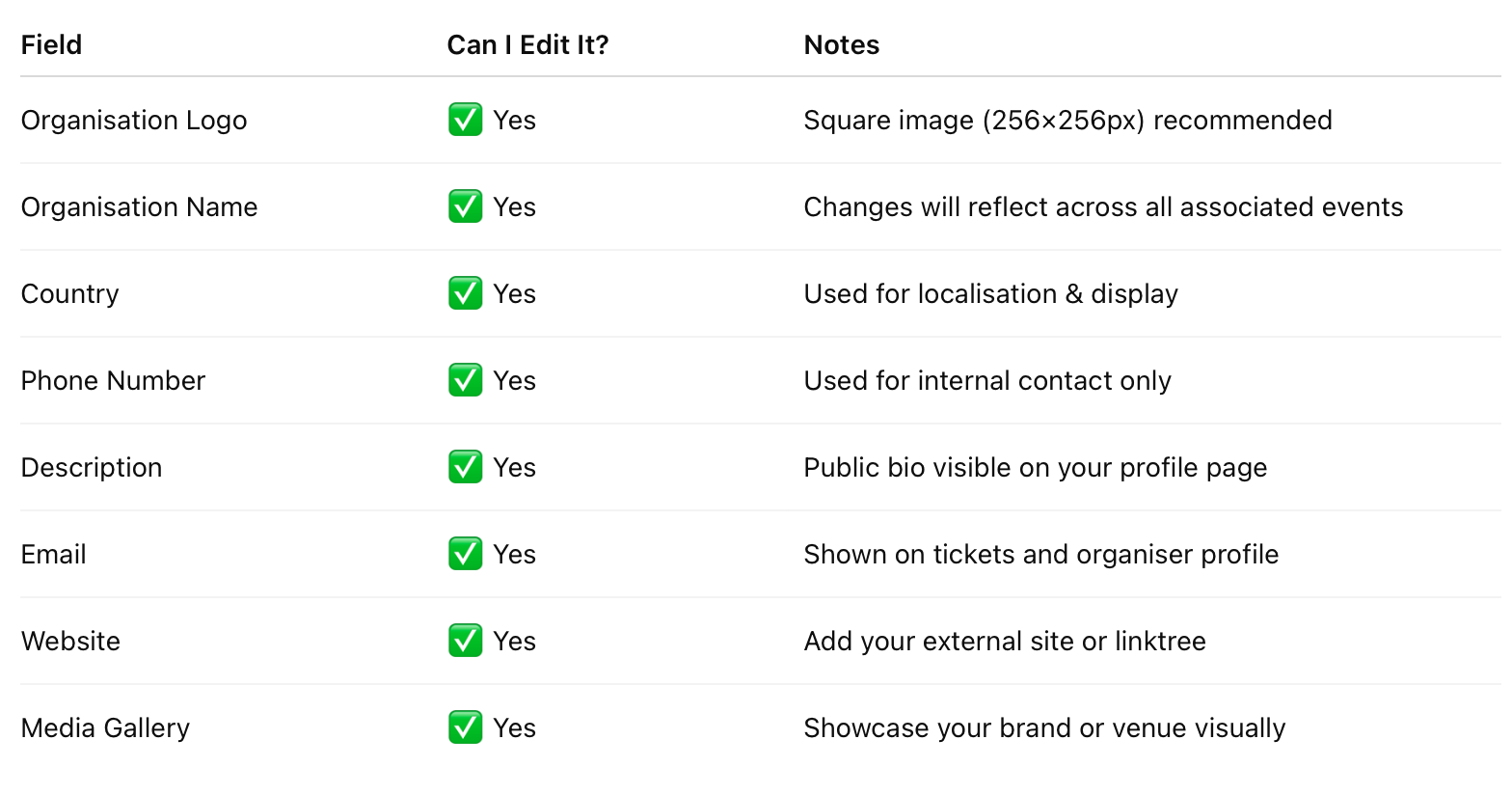
⚠️ Notes
-
If you’re managing multiple organisations, changes only affect the currently selected organisation.
-
Logos and descriptions will be visible to the public when someone clicks into your organiser profile from any event page.
-
Always double-check your contact email — it's what patrons will use to reach you.
🔁 Switching Between Organisations
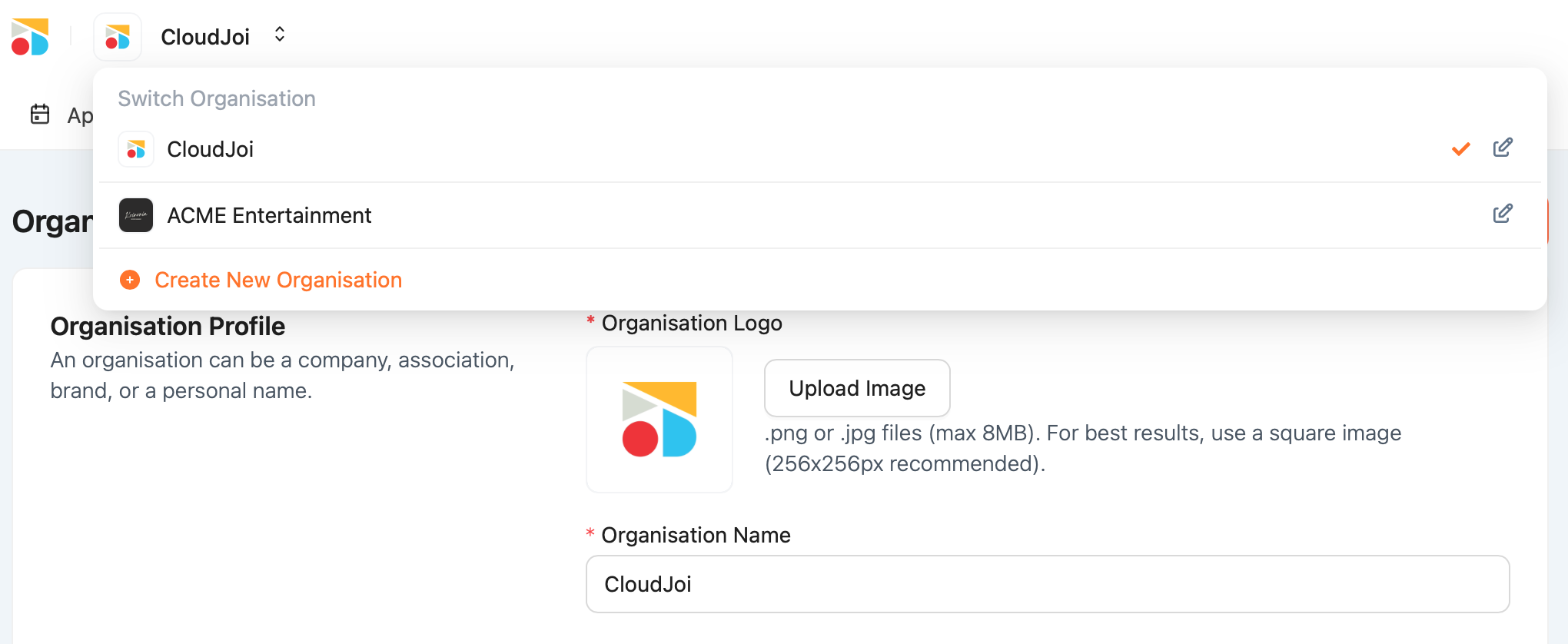
Click the dropdown beside your logo in the top navigation bar to switch organisations.
Each one has its own settings, events, team, and payout account.