Your Media Gallery is a visual introduction to your organisation. It shows up on your public organiser profile — giving audiences, sponsors, and media a peek into what you do.
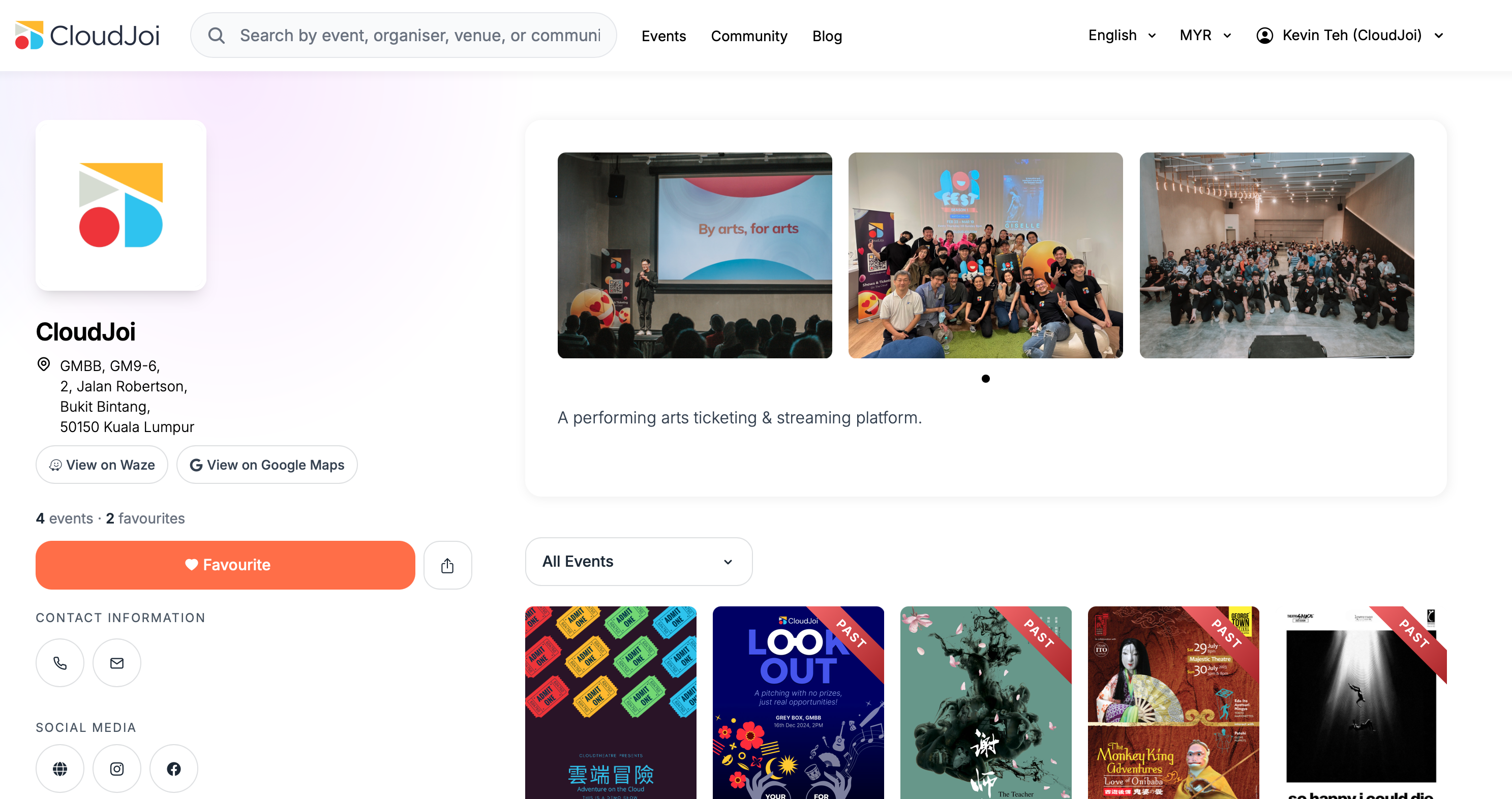
Use it to showcase event photos, production shots, press coverage, or venue visuals.
📂 Where to Find the Media Gallery

-
Go to Dashboard > Organisation
-
Scroll to the Media Gallery section
-
Click the “+” icon to upload new images
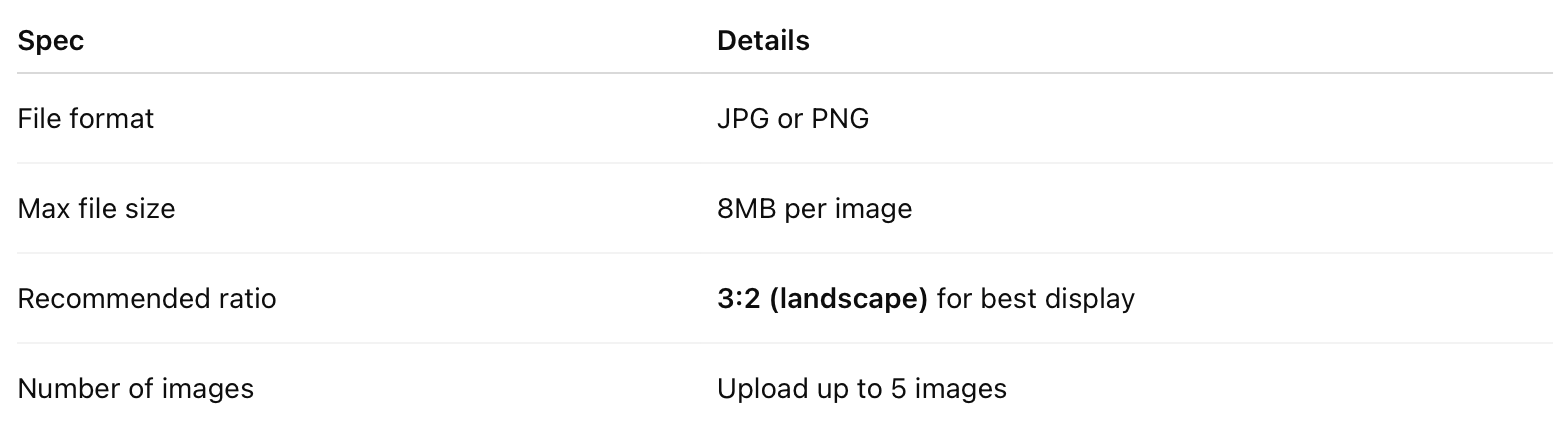
📸 Media Upload Requirements
🔁 How to Manage Media

-
To remove an image: Hover over it and click the trash icon
-
To reorder images: Currently not supported — first uploaded appears first
-
To update an image: Delete and re-upload in desired order
📝 Changes go live immediately on your organiser public page.
🎯 Best Practices
-
Use high-res, well-lit images
-
Show what makes your work unique — crowds, performances, venues
-
Avoid flyers with small text — they won’t display clearly on mobile