Whether you’re checking who bought what, managing complimentary tickets, or tracking refunds — the Orders page is your go-to tool for finding every order tied to your event.
You can search, filter, sort, and even export your data to Excel. Let’s walk you through it.
📍 Where to Find It
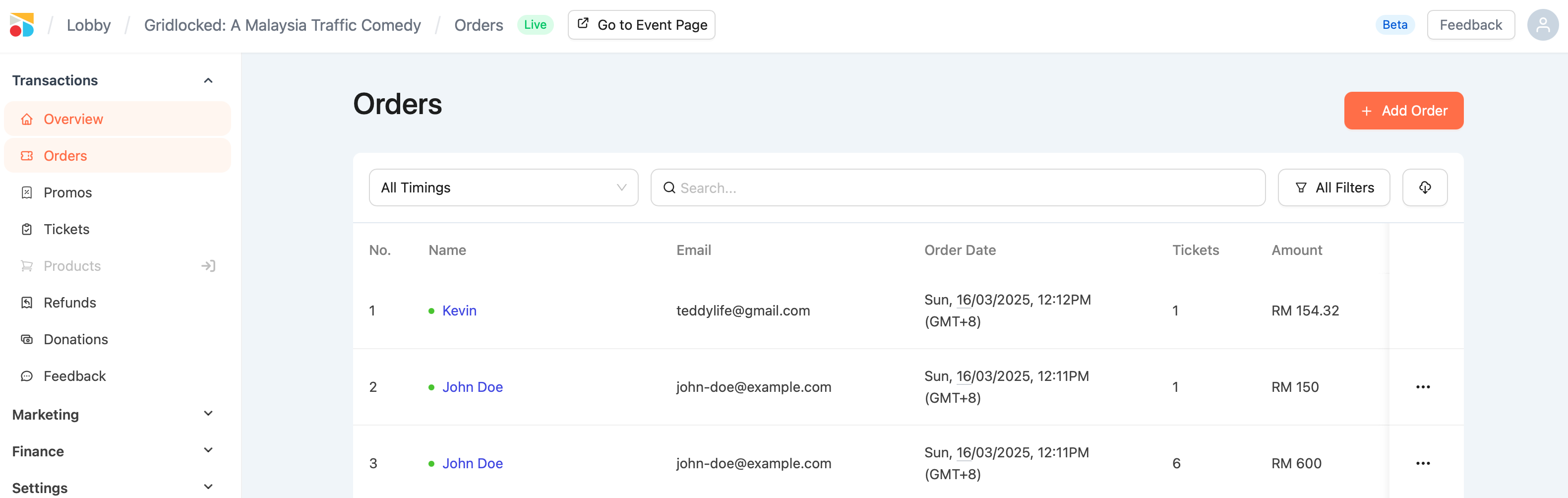
Go to your event → Orders
Here, you’ll see a list of every order created for this event, including:
-
Name
-
Email
-
Order date
-
Ticket quantity
-
Order type (Online, Complimentary, Offline, Reserved)
-
Promo usage (if any)
-
Status (Completed, Refunded, Voided)
🔍 How to Use Filters

Click All Filters to refine your view by:
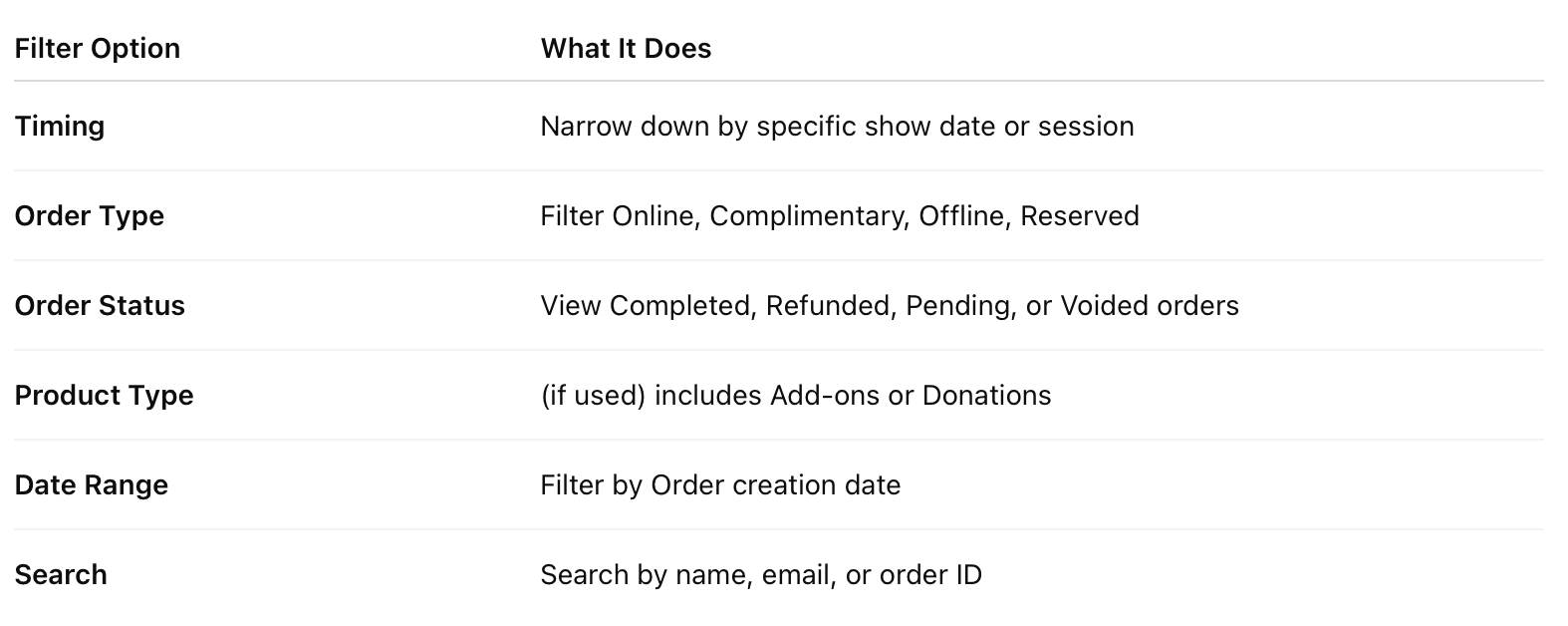
💡 You can combine filters — e.g., view only "Completed Offline Orders" from a certain date range.