Need to look up someone’s order quickly? Whether you’re checking payment details, sending a QR code again, or confirming how they paid — the order detail page is where all the info lives in one place.
This article breaks down what you’ll see, what you can do, and when you can void it.
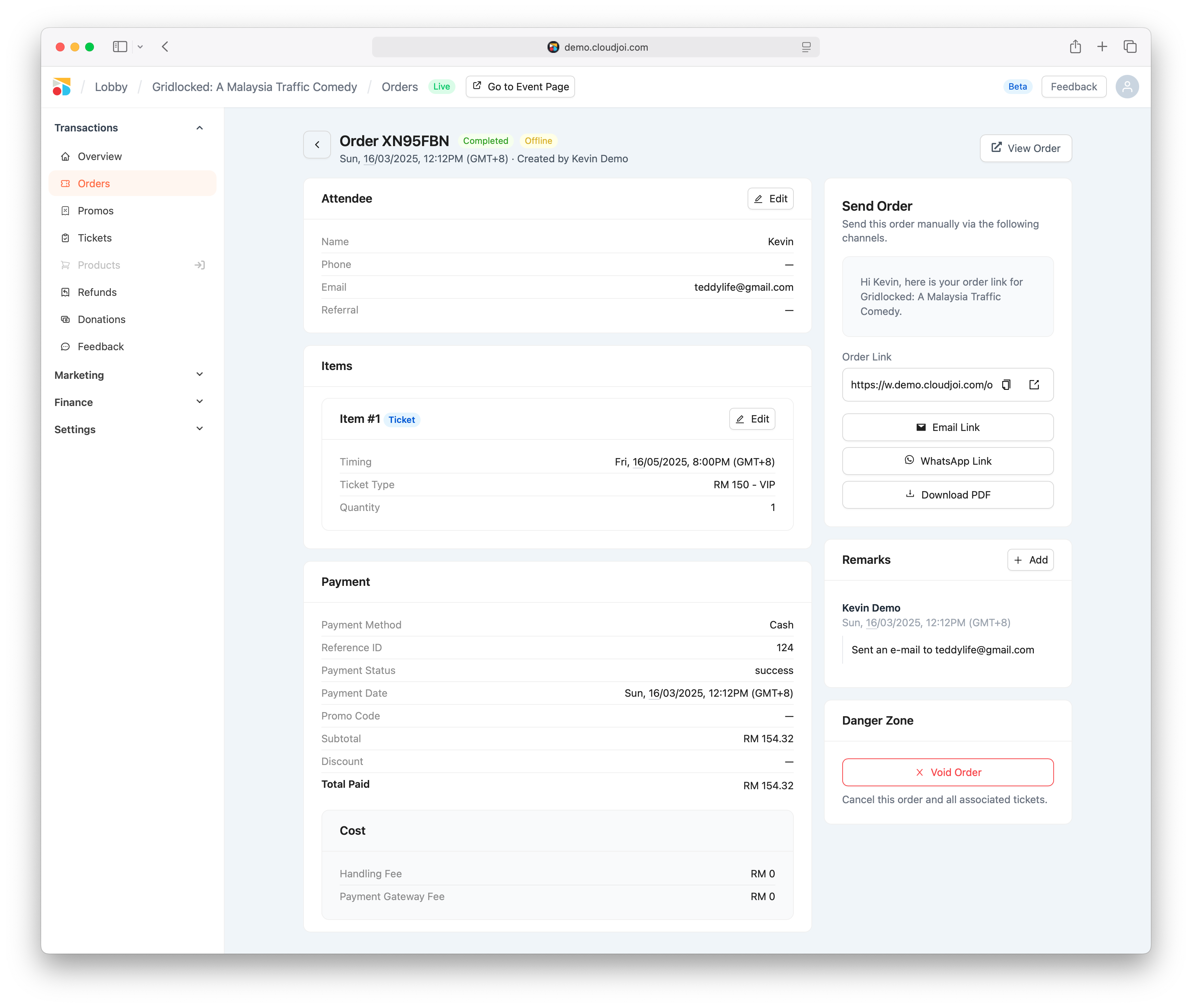
🔎 How to View an Order
-
Go to your event
-
Click Orders in the sidebar
-
Use the search bar or filters to find the order
-
Click on any row to open the Order Detail Page
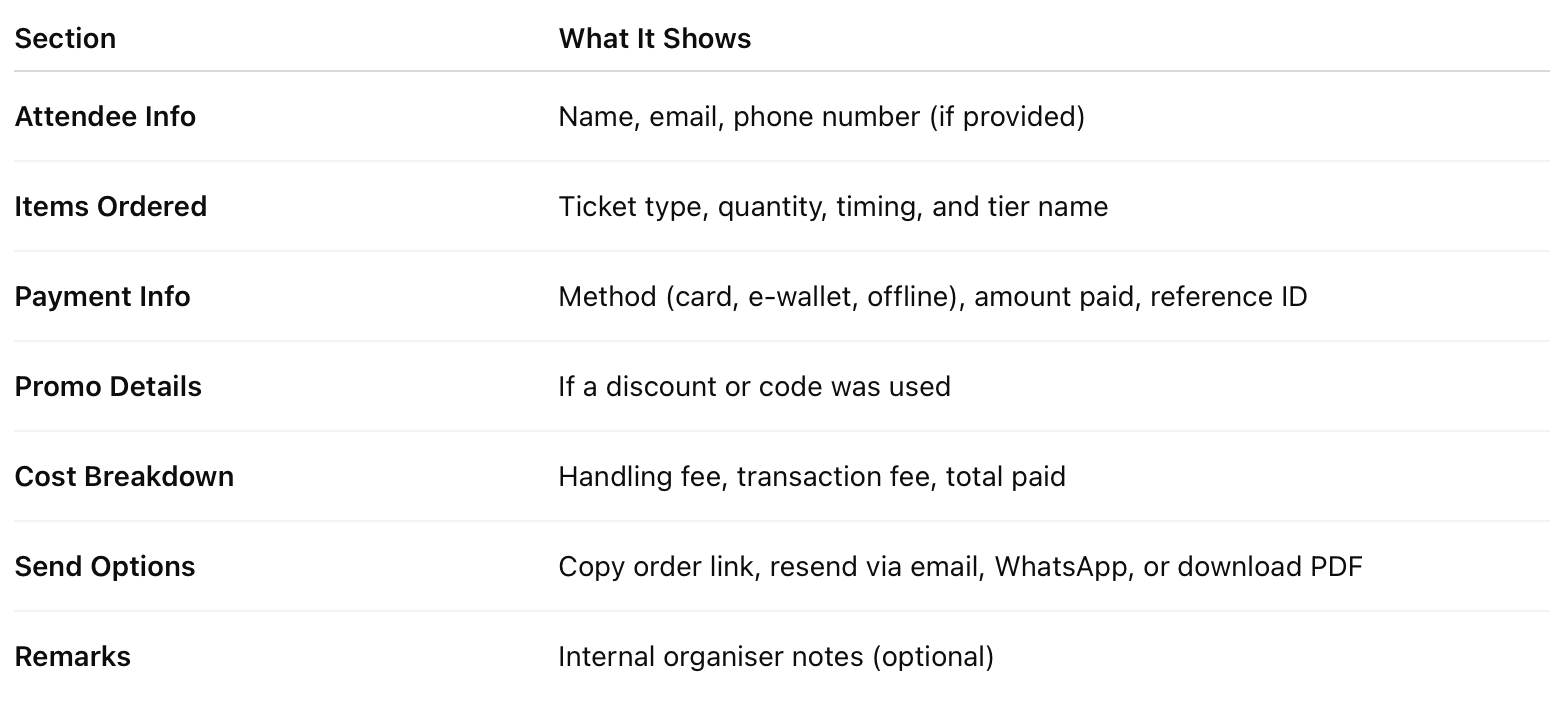
📋 What’s Inside
🗑 When You Can Void an Order
Only the following types of orders can be voided:
✅ Complimentary Orders
✅ Orders with 0 face-value tickets (RM0)
✅ Offline Orders (manual, cash, bank transfer)
❌ Online paid orders cannot be voided — they must go through the refund process.
Once voided, the ticket is cancelled and returned to your available pool. The patron’s QR will no longer scan at check-in.
⚠️ How to Void
-
Scroll to the bottom of the order detail page
-
Click Void Order under “Danger Zone”
-
Confirm your action — this is permanent
📬 Useful Actions on This Page
-
Copy and resend the order link
-
Send via email or WhatsApp
-
Download ticket in PDF
-
View full payment reference & promo details