Whether you're prepping a guest list, pulling order history, or tracking promo usage — CloudJoi makes it easy to export the exact data you need. You can export directly from the Orders/Tickets section or access everything in one place from Settings > Exports.
📦 Two Ways to Export

📍 Method 1: Exporting from the Orders or Tickets Page
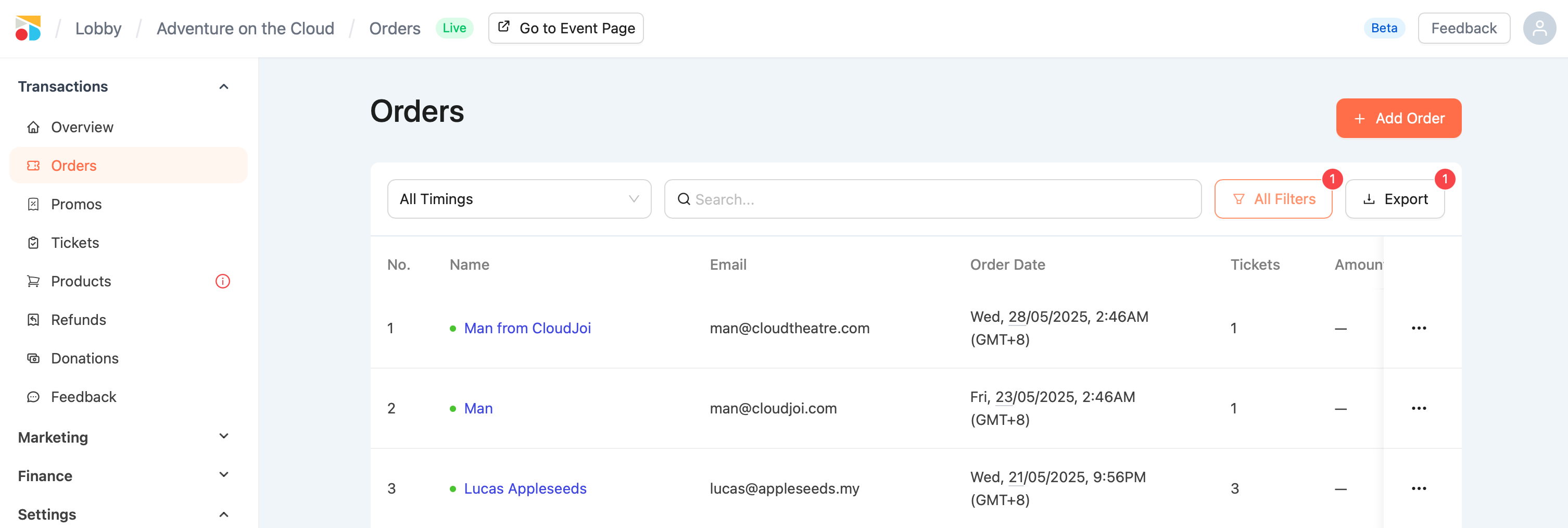
🧾 Orders Export:
-
Go to Orders
-
Apply filters (status, timing, etc.) if needed
-
Click Export (top right)
-
Choose:
All Data (everything)
Filtered (only what's currently displayed)
Data includes:
-
Order ID
-
Name, email
-
Order type (Online, Offline, Complimentary)
-
Status
-
Quantity, total amount
-
Promo used, payment method
-
Ticket types & showtimes
🎟️ Tickets Export:
-
Go to Tickets
-
Filter by showtime, check-in status if needed
-
Click Export
Data includes:
-
Ticket code
-
Name & email
-
Tier and type
-
Check-in status
-
Showtime
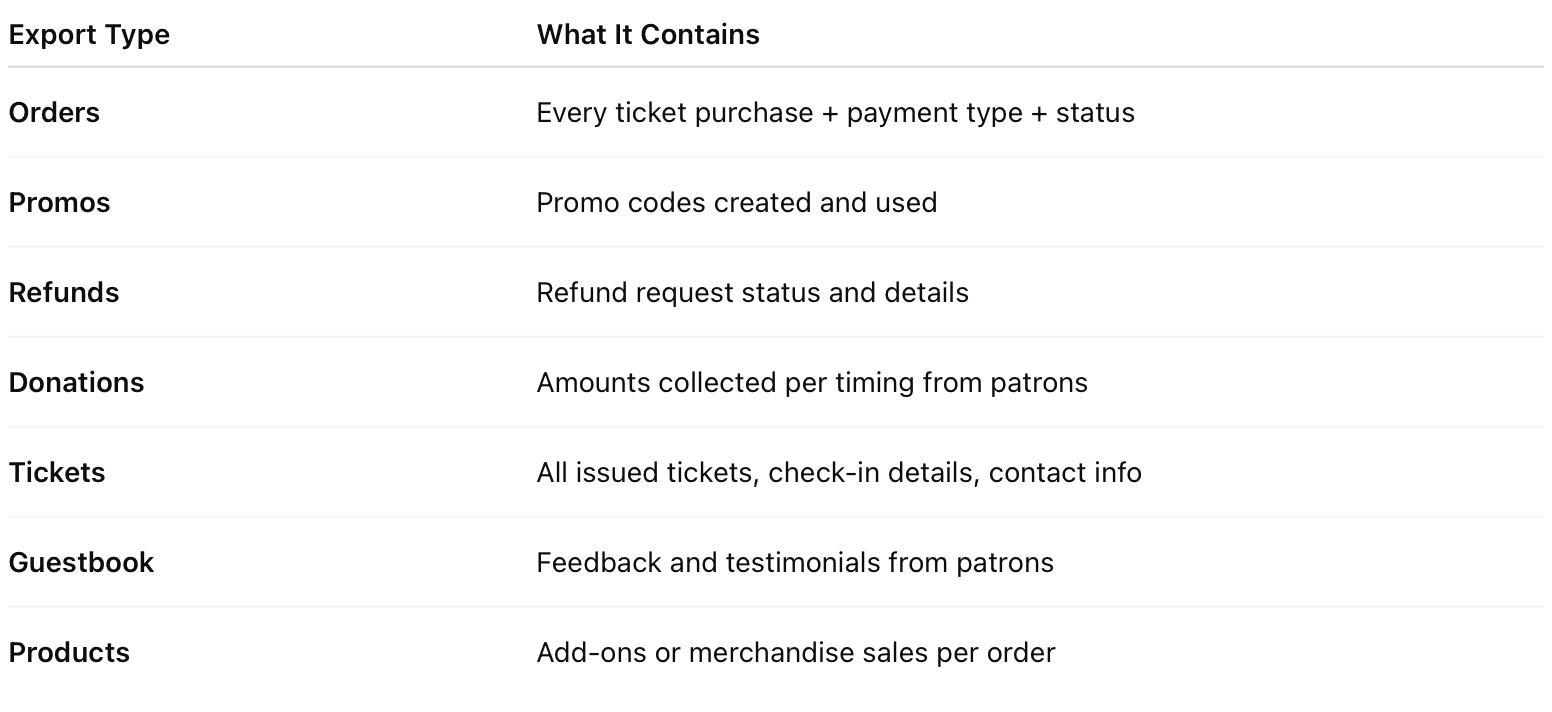
🛠 Method 2: Exporting via Settings > Exports
Go to Settings > Exports for a full export menu:
 💡 Great for finance teams, post-event reporting, and marketing follow-ups.
🧠 Tips
-
Use filtered export for show-specific tasks
-
Use Settings > Exports for end-of-show wrap-ups
-
Ticket export = best for ushers
-
Order export = best for finance or refunds