Need to quietly sell a session or ticket type without making it public? CloudJoi offers two ways to do that:
-
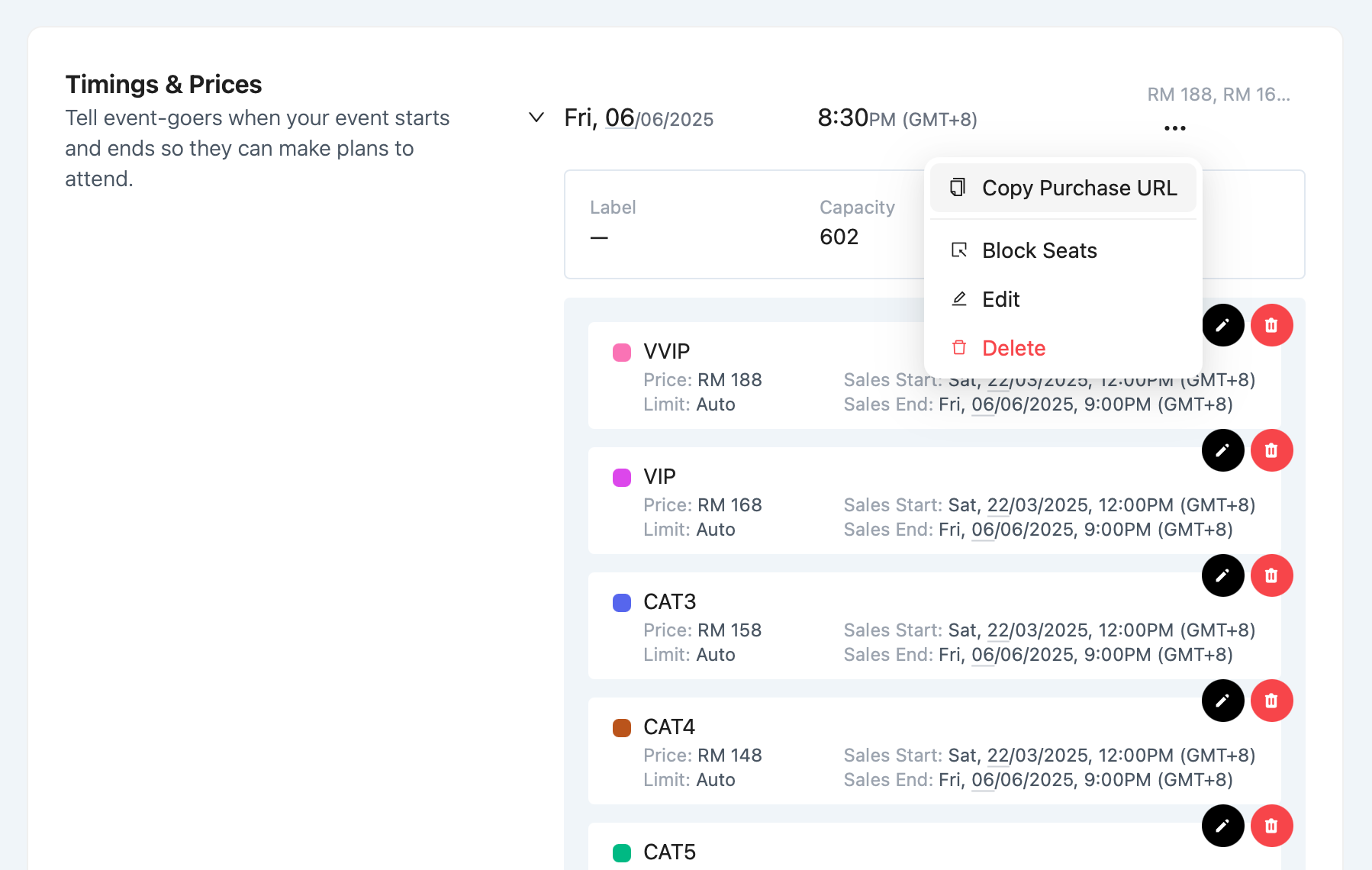
Private Timings – entire showtimes that are only accessible via a direct link
-
Hidden Ticket Tiers – ticket types like concessions or internal rates, only used via reserve order flow
Private Timings (Copy Purchase Link)
This is useful when you want to run:
-
Internal previews
-
Sponsors-only shows
-
School or corporate bookings
How to Set It Up:
-
Go to Settings > Ticketing > Timings
-
Find the private session you want
-
Click the 3-dot menu > Copy Purchase Link
-
Send this link to your patrons
✅ The timing won’t appear on your public event page
❌ The timing is only accessible via that direct link
Hidden Ticket Tiers (via Reserved Order)
For hidden ticket types like:
-
Concessions
-
Media rates
-
Partner pricing
These don’t appear on the public checkout page at all.
How It Works:
-
Go to Orders > Create Order > Reserved
-
Choose the hidden tier (e.g. “Concession”)
-
The system generates a unique URL tied to that order
-
Send this to the patron for payment
✅ You can limit how long the reservation is valid (24 hours)
✅ Works even if the tier isn’t visible publicly
✅ Patron pays normally via CloudJoi checkout
🔒 These tiers are only accessible through reserved order flow — not by copying a tier URL.
Two Levels of Privacy
