If you’re part of more than one organisation on CloudJoi — say you're managing a festival and working on freelance shows — switching between them is seamless. Here's how it works.
Where to Switch Organisations
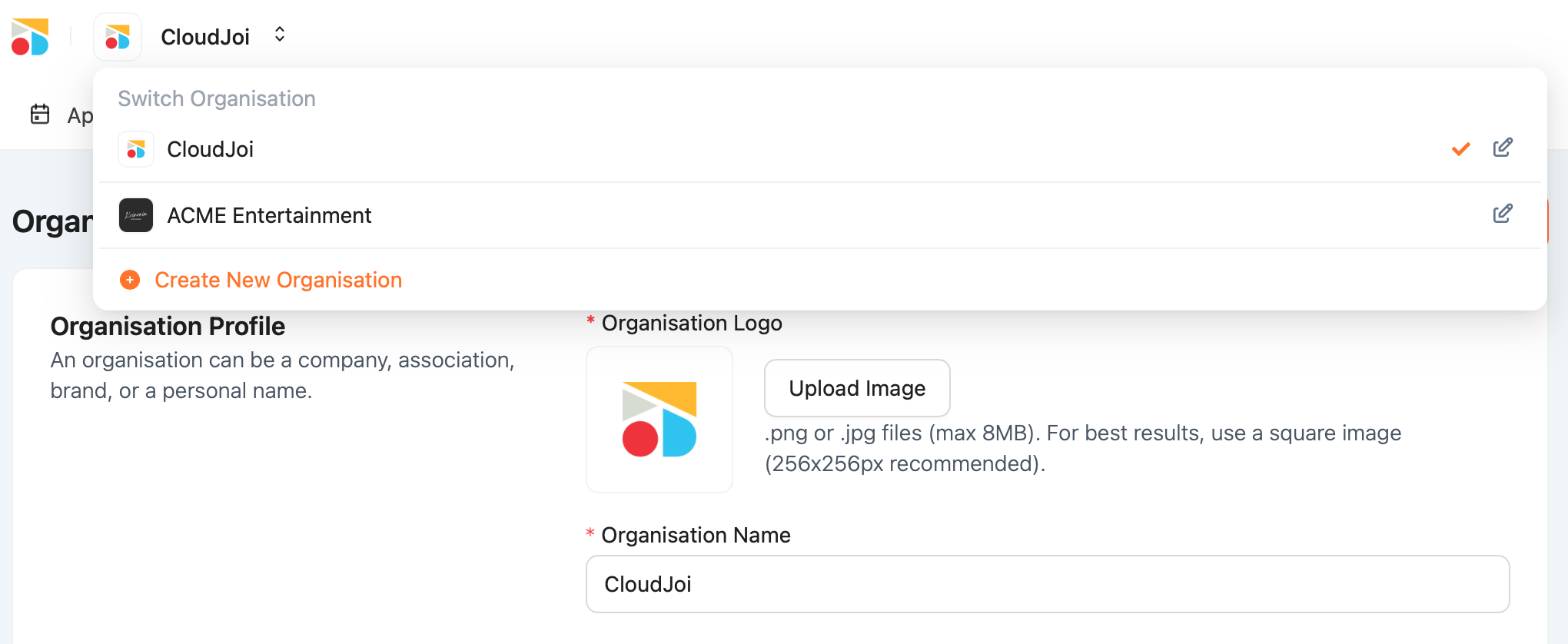
-
Click on the organisation name in the top-left menu
-
A dropdown will appear with:
-
Your current org (✓ checkmark)
-
A full list of organisations you’re a part of
-
A link to “View all” or Create New Organisation
-
-
Click the one you want — you’ll immediately switch over.
What Changes When You Switch
Each organisation has:
-
Its own events
-
Its own user roles
-
Its own currency & settings
-
Separate payout accounts, sales reports, and permissions
💡 Your access level may differ across organisations — you might be an Owner in one and a Viewer in another.
How to Create a New Organisation
Need to start from scratch? Refer Setting Up Your Organisation Profile