You may need to revoke access for team members who no longer need access to your CloudJoi account — especially for temporary staff, interns, or part-time ushers.
Here’s how to do it:
Removing Users from the Organisation
Removing someone from the Organisation Users list will remove their access to all events under your organisation.
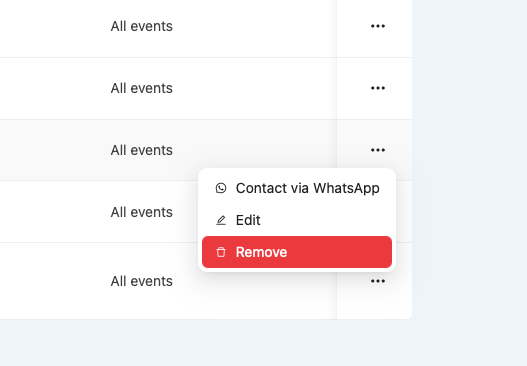
Steps:
-
Go to Dashboard > Users
-
Find the user under the Users section
-
Click the
···menu next to their name -
Select Remove
Once removed:
-
The person will no longer be able to log in or view any events under this organisation.
-
If they’re still added to any Event User list, you’ll need to remove them from there too.
Removing Event-Only Users
If a user was only assigned to specific events (e.g. ushers, photographers), you can remove them from just those events.
Steps:
-
Go to [Event Name] > Settings > Permissions
-
Under Event Users, click
···next to their name -
Choose Remove
They’ll lose access only to that event, not the entire organisation.
🛑 Can I “Suspend” a User?
Currently, there’s no “suspend” or temporary pause function — you’ll need to remove the user entirely. If you need to re-invite them later, you can always send them a new invite.
🔐 Tips
Want to downgrade someone instead? Just change their role to Viewer, so they can still access but not edit anything.
Daily Sales Reports or Performer Submission emails will also stop sending once a user is removed.